Help / Panels and extras
Make and add your Twitch panels
- On your download page press Make panel PNGs (First Light panels are also free on the free panels page).
- Press Download PNG under each one. They’re 640 x 320, shown at 320 wide by Twitch, so they stay sharp.
- On Twitch, open your channel, About, and turn on Edit Panels.
- Press the big +, add an image panel, upload the PNG, add a title, a link and the description, and press Submit.
- Drag them into order: About or Schedule first.
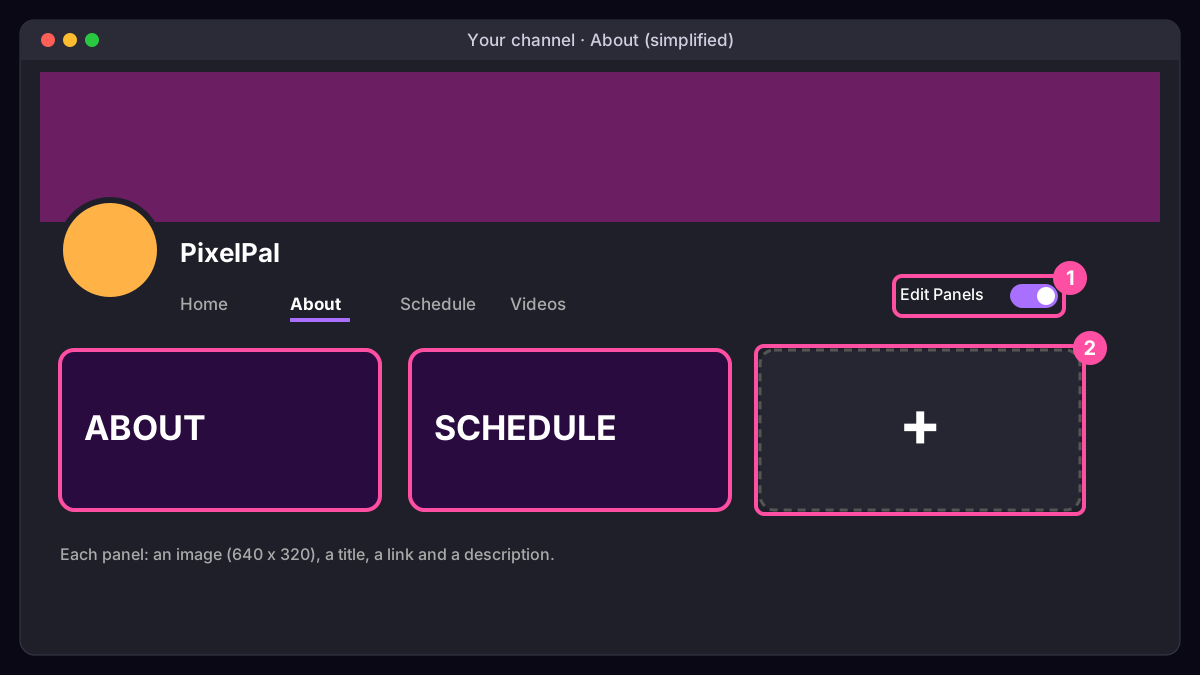
What to write in each: our panels guide.
Was this missing something? Tell us and we’ll add it.