Help / Alerts and sounds
Scenqo sounds in the Streamlabs Alert Box
- In Streamlabs (desktop app or dashboard) open Alert Box.
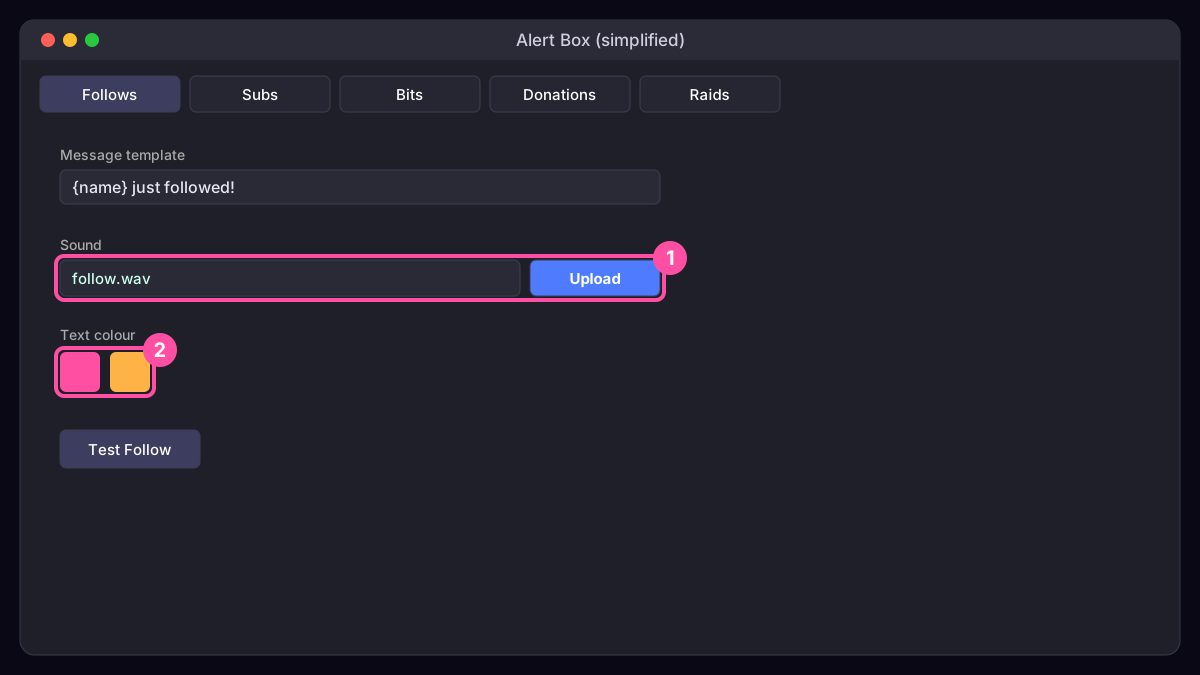
- Pick an alert type: Follows, Subs, Bits, Donations, Raids.
- Under Sound upload the matching WAV from the sounds folder in your zip.
- Under Text set the colours to your pack’s two colours.
- Repeat for each type and save. In Streamlabs Desktop add the Alert Box as a source; in OBS paste the Alert Box widget URL as a Browser Source at 1920 x 1080.
- Test with the Test buttons while watching the Audio Mixer.
Was this missing something? Tell us and we’ll add it.